



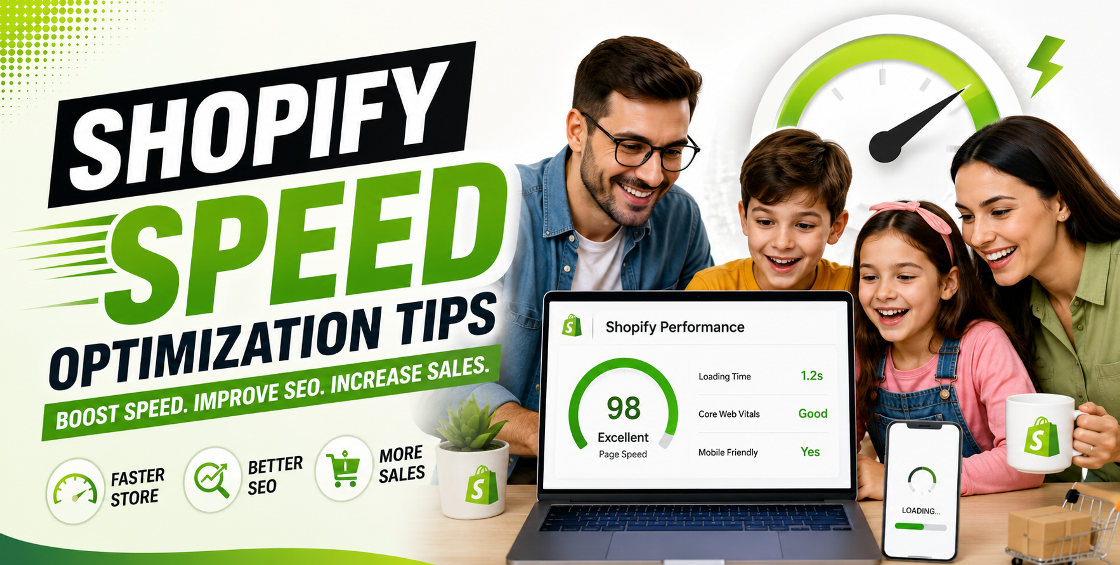
Running a Shopify store is about more than having great products and attractive branding. If your website takes too long to load, many potential customers won't wait around. They'll simply leave and buy from a competitor.
A slow online store doesn't just hurt the shopping experience—it can reduce search rankings, increase bounce rates, lower conversion rates, and even affect customer trust. We've worked with Shopify stores ranging from small niche brands to large catalogs with thousands of products, and one thing remains consistent: improving store speed almost always leads to better business performance.
In this guide, we'll share practical Shopify speed optimization tips based on real experience managing Shopify stores, troubleshooting performance issues, handling large product catalogs, and optimizing themes for long-term growth.
The first impression of your ecommerce store happens before customers even see your products. It begins with page loading time.
A slow website can lead to:
Today's shoppers expect pages to load almost instantly, especially on mobile devices. Every unnecessary second can cost valuable revenue.
Many merchants install feature-heavy themes packed with animations, sliders, and unnecessary scripts.
While these themes may look impressive, they often slow down page loading significantly.
Instead:
A lightweight theme provides a stronger foundation for long-term performance.
One of the biggest causes of slow Shopify stores is oversized product images.
We've frequently seen stores uploading 8–15 MB product photos directly from professional cameras. Even though Shopify optimizes images to some extent, large files still affect loading performance.
Best practices include:
Fast-loading images improve both customer experience and SEO.
Every installed app can add extra JavaScript, CSS files, or tracking scripts.
During store audits, it's common to find apps that were installed months ago, tested once, and never removed. Their code often continues loading in the background.
Review your installed apps regularly and remove:
Fewer apps usually mean faster performance.
Large product pages often become slow because of:
Keep product pages focused.
Include:
Avoid loading unnecessary content above the fold.
Marketing pixels are important, but too many tracking scripts can slow your site.
Common examples include:
Review every script and ask one simple question:
"Is this helping generate measurable revenue?"
If not, consider removing it.
Stores with thousands of products often experience slower collection pages.
We've worked on stores importing products through CSV files where every collection displayed hundreds of products at once.
Instead:
Large catalogs require thoughtful organization, not just bulk imports.
Variant-heavy stores often struggle with performance.
For example:
Poorly structured variants increase page complexity.
Whenever possible:
Clean product data contributes to faster storefront performance and easier inventory management.
More than half of ecommerce traffic now comes from mobile devices.
Unfortunately, many Shopify stores are optimized only for desktop.
When testing mobile performance:
A fast mobile experience often has the biggest impact on conversion rates.
Site speed isn't just about user experience—it also supports SEO.
Google favors websites that offer a fast, reliable browsing experience.
Speed improvements can help:
While speed alone won't guarantee top rankings, it's an important part of a strong SEO strategy.
After working with Shopify product uploads, catalog migrations, and store maintenance, we've noticed several recurring performance issues.
One common situation involves merchants importing thousands of products using CSV files without optimizing images beforehand. Even though the import completes successfully, the storefront becomes noticeably slower because every product image is oversized.
Another frequent issue appears after redesign projects. Many businesses install several marketing apps during testing but forget to remove them before launch. The storefront ends up loading unnecessary scripts that affect every page.
We've also seen stores with duplicate product variants created during bulk imports. Besides making inventory management harder, they increase page complexity and slow down product rendering.
Regular maintenance—not just one-time optimization—is what keeps Shopify stores performing well as they grow.
Even experienced store owners can unknowingly hurt performance.
Avoid these common mistakes:
Small issues often accumulate into noticeable slowdowns over time.
To strengthen your website's SEO and help visitors discover related services, consider linking this article to:
These internal links help both users and search engines navigate your site more effectively.
A fast Shopify store isn't just about achieving a better speed score. It's about creating a smoother shopping experience that encourages visitors to stay longer, browse more products, and complete their purchases.
The good news is that most speed issues are fixable with consistent maintenance, thoughtful app management, optimized product data, and a clean theme structure.
Whether you're running a small boutique or managing thousands of products across multiple collections, investing in Shopify speed optimization is one of the smartest improvements you can make for long-term ecommerce growth.



Our Trusted Clients
















Our goal is to help our companies maintain achieve best class positions their respective industries & our team works occur that pleasures have to be repudiated.

Copyright © MyShopifyExpert . All rights reserved.