



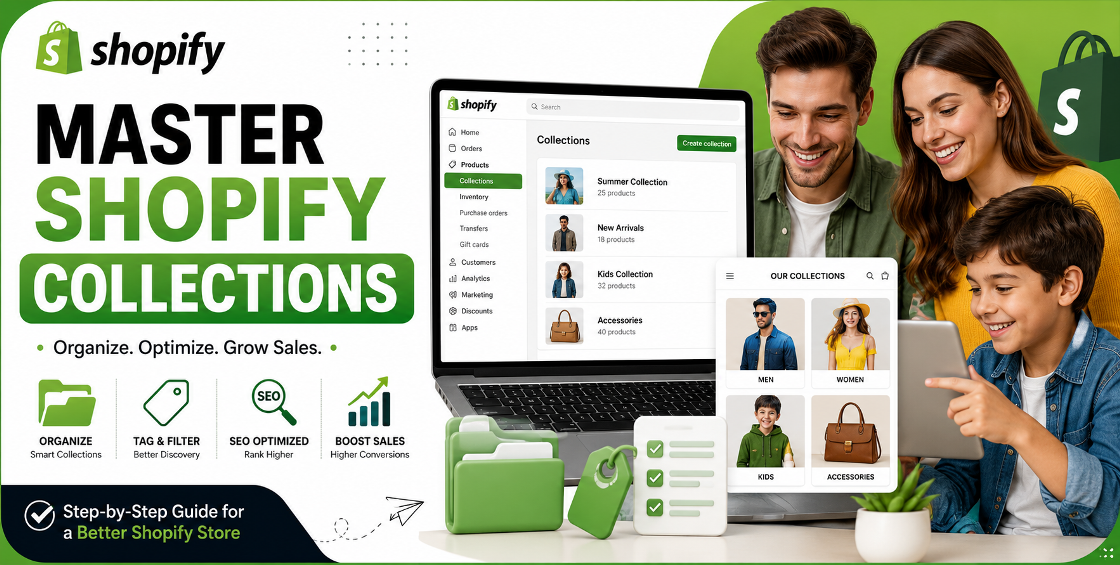
A well-designed Shopify store isn't just about attractive products and a beautiful theme. If customers struggle to find what they're looking for, even the best products can go unnoticed.
One of the most overlooked areas in Shopify is collection setup. We've worked with stores managing everything from a few dozen products to catalogs with over 100,000 SKUs, and one pattern appears repeatedly: poorly organized collections create navigation issues, reduce search visibility, and hurt conversions.
Whether you're launching a new store or restructuring an existing catalog, this Shopify Collection Setup Guide will help you build collections that improve user experience, strengthen SEO, and simplify store management.
Collections are more than product categories. They influence how customers browse your store, how search engines understand your website, and how efficiently your team manages inventory.
A thoughtful collection strategy helps you:
We've seen stores increase category page traffic simply by restructuring collections and improving product organization without changing their products or pricing.
Shopify offers two collection options, and choosing the right one can save countless hours later.
Manual collections require you to add products individually.
They're ideal for:
Example:
Automated collections use conditions to include products automatically.
For example:
If a new product matches the rules, Shopify adds it automatically.
This approach is especially valuable for stores with frequent product imports or bulk CSV uploads.
One mistake we frequently see is importing thousands of products first and organizing later.
That usually leads to:
Instead, create a collection hierarchy first.
Example:
A clear structure benefits both customers and search engines.
Tags are the foundation of automated collections.
Avoid inconsistent tags like:
Instead, create standardized naming conventions.
For example:
When your tags stay consistent, automated collections work exactly as intended.
This becomes especially important after bulk product imports.
Many Shopify stores optimize product pages but ignore collection pages.
That's a missed opportunity.
Each collection should include:
Instead of:
Products
Use:
Women's Running Shoes
Write a short introduction that explains:
Avoid copying manufacturer descriptions.
Collections should support intuitive shopping.
Keep your main navigation simple.
Example:
Avoid overwhelming visitors with dozens of menu items.
Instead, use nested navigation for larger catalogs.
Collection images improve engagement and help visitors understand product categories instantly.
Use:
Maintain consistent dimensions across collections for a cleaner storefront.
If your catalog has hundreds of products, filtering becomes essential.
Enable filters such as:
Customers can narrow results quickly, creating a smoother shopping experience and reducing frustration.
Avoid changing collection URLs repeatedly after indexing.
Frequent URL changes can:
If changes are unavoidable, always create proper redirects.
Large catalogs require careful planning.
Before importing products:
One common issue during CSV imports is inconsistent product tags. A single spelling difference can prevent products from appearing in automated collections.
Running a quick CSV review before import often saves hours of manual corrections later.
Your catalog evolves over time.
Review collections every few months to ensure:
Store maintenance is just as important as store setup.
After managing product uploads for stores across the United States, United Kingdom, Europe, Australia, New Zealand, and the Gulf region, a few lessons consistently stand out.
Changing collection names after hundreds of products are assigned creates unnecessary work.
Always create a few sample products before importing thousands.
This confirms your automation works correctly.
Small formatting mistakes can create:
A simple spreadsheet review often prevents hours of troubleshooting.
Instead of:
Use one Shirts collection with color filters.
Your navigation stays cleaner while customers still find exactly what they need.
Even experienced store owners make these mistakes.
More isn't always better.
Focus on categories customers actually search for.
Every collection is an opportunity to rank on Google.
Don't leave titles and descriptions blank.
Automation only works when naming stays consistent.
Create a tagging guide for your team.
Nothing damages trust faster than clicking a category with no products.
Hide or remove empty collections.
Most ecommerce traffic now comes from mobile devices.
Test menus and collection pages on smaller screens before publishing.
To strengthen your site's SEO and guide visitors naturally, consider linking this article to related service pages such as:
A successful Shopify store isn't built around products alone. It's built around how easily customers can find those products.
A thoughtful collection structure improves navigation, strengthens SEO, simplifies backend management, and creates a better shopping experience from the first visit to checkout.
Whether you're launching a new store or reorganizing an established catalog, investing time in your collection strategy will pay dividends in both customer satisfaction and long-term organic growth.

Our Trusted Clients
















Our goal is to help our companies maintain achieve best class positions their respective industries & our team works occur that pleasures have to be repudiated.

Copyright © MyShopifyExpert . All rights reserved.